A habit tracker where you can filter and sort by anything
Including a filter that shows what you have not done
OpenHabitTracker is a free, open source habit tracker that also holds your notes and tasks. It runs on Windows, Linux, macOS, iOS, Android and in a browser, with no ads and no account.
Filtering and sorting habits
A habit here is not measured by a streak. It is measured by how much of its interval has gone by. A habit you want to do every ten days, two days late, is at 120%. A habit you want to do every four days, also two days late, is at 150%.
Because that is a number, you can filter on a range of it: only habits above 50%, only habits below 150%, or only the ones in between. That last one is everything neither freshly done nor badly overdue.
You can sort by it as well, and the sort takes the repeat count into account, so a habit done three times a day and one done weekly are compared against each other rather than the daily ones always sitting on top.
There are other ways to sort habits by time: how long you want between repeats, how long it has actually been averaging, how long since the last one, and how much time you have spent on it in total or per completion.
Notes and tasks sort by the plain things, category, priority and title, and tasks also by their planned date and duration. Each of the three keeps its own sort order.
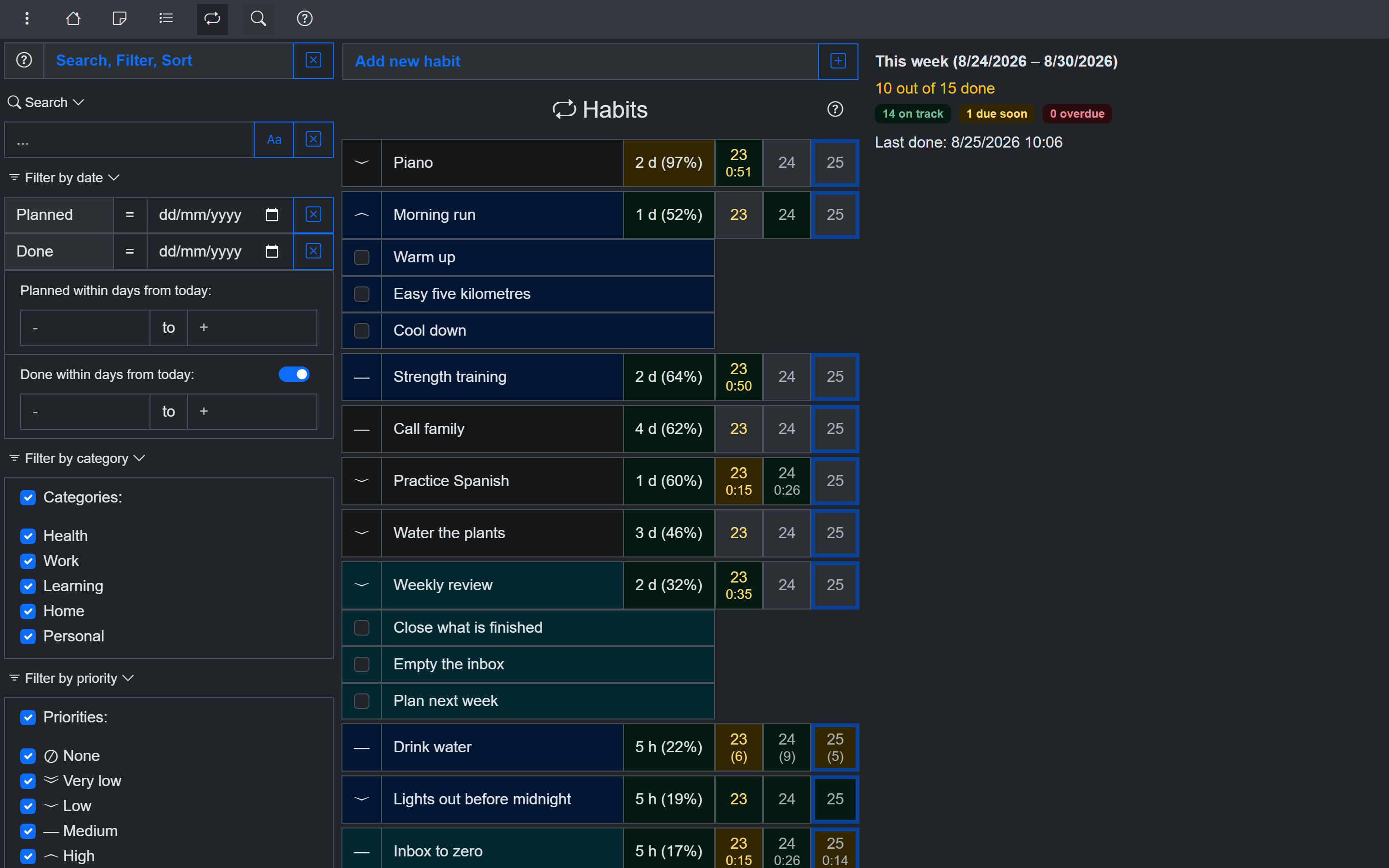
Search, filter and sort in one sidebar
Filtering by date
Tasks have a planned date. Tasks and habits have the dates they were completed on. Both are filtered separately, each before, on, after or not on a date you pick.
A filter can also take a number of days from today instead of a date. Minus seven to plus seven is the week either side of now, and it still means that in a month, because the days are counted at the moment you look rather than the moment you set it.
Showing what was not done
The completed-date filter has a switch next to it. Turned on, the range shows what you finished in those days. Turned off, the same range shows what you did not.
Searching notes, tasks and habits
Searching a note searches the whole note, not just its title. Searching tasks and habits searches their checklist items too, so a word inside a sub-item is findable without knowing which item holds it.
Matches are highlighted where they are found, including inside rendered Markdown. There is a match-case toggle, and the term stays applied while you move between notes, tasks and habits.
How the filters are drawn
Category and priority filters render as check boxes, radio buttons or a drop-down list, chosen separately for each.
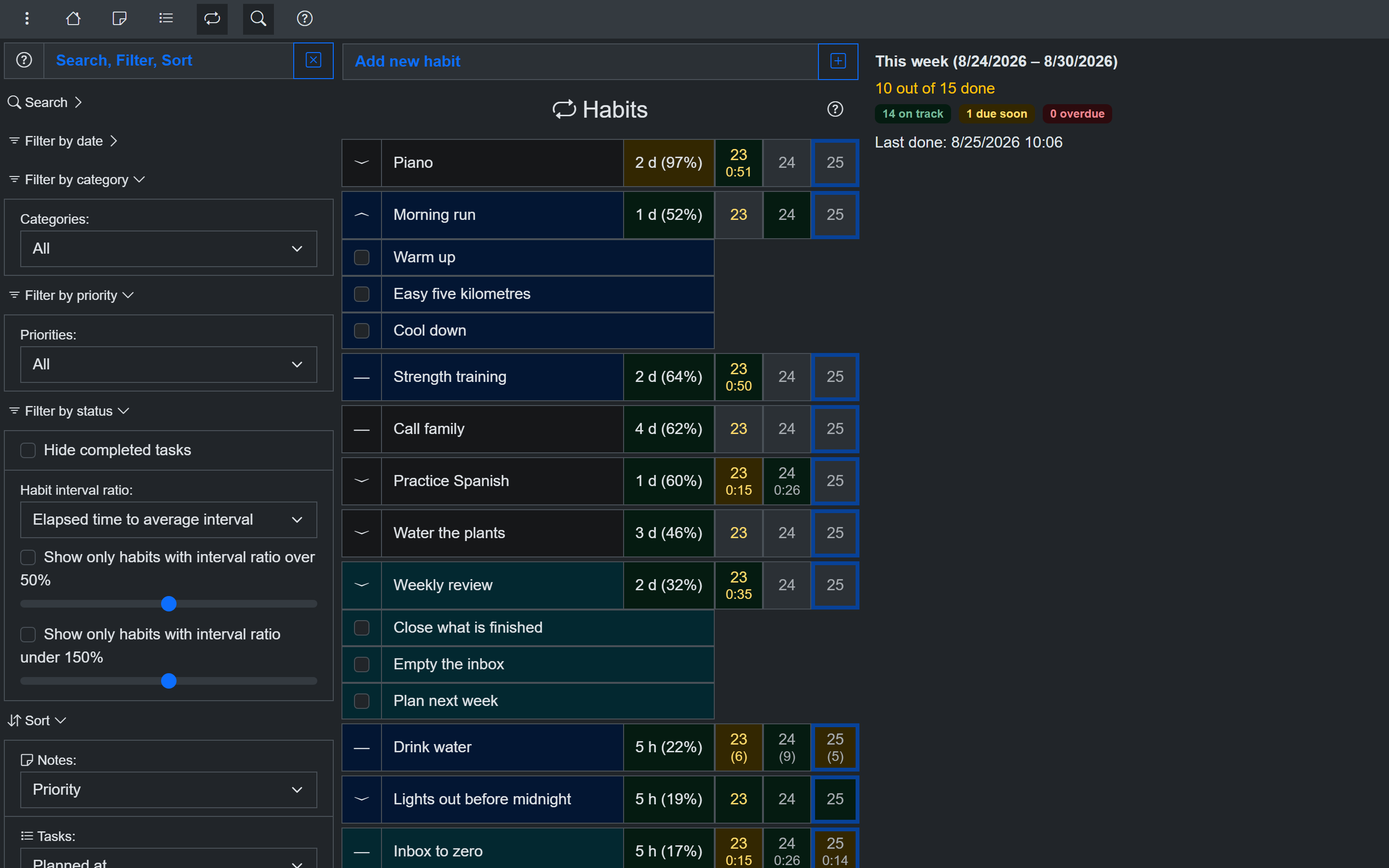
The same filters as drop-down lists
Check boxes show which categories are excluded at a glance. A drop-down takes one line instead of nine, which on a phone decides whether the next filter is on screen.
The sidebar has six sections, and each folds on its own and stays folded, so the ones you use are not buried under the ones you do not.
Filter and sort settings are saved, sync between your devices if you self-host, and are included in JSON and YAML backups.
Try it for free
Use OpenHabitTracker in your browser
No install needed - the PWA keeps all data on your device. Or get the native app:
Android - Google Play:
iOS - App Store:
Windows - Microsoft Store:
macOS - Mac App Store:
Linux - Flathub:
Linux - Snap Store:
Questions? The source is on GitHub and the community is on Reddit.