A self-hosted habit tracker with native apps on every platform
One docker-compose file, and your phone, tablet and desktop all log into it
Self-hosted habit trackers are almost always web apps. You run a container, open a browser tab, and that tab is the product. That works until you want to tick a habit off on your phone in the kitchen.
OpenHabitTracker is a self-hosted habit tracker with native apps for Windows, Linux, macOS, iOS and Android that log into your own Docker container and sync to it. Notes and tasks live in the same app, and the whole thing also runs with no server at all if you never want one.
Self-hosting it
The image is on Docker Hub and the GitHub Container Registry, built for amd64 and arm64, so it runs on a NAS or a Raspberry Pi as well as on a server:
services:
  openhabittracker:
    image: jinjinov/openhabittracker:latest
    ports:
      - "5050:8080"
    environment:
      - AppSettings__UserName=${APPSETTINGS_USERNAME}
      - AppSettings__Email=${APPSETTINGS_EMAIL}
      - AppSettings__Password=${APPSETTINGS_PASSWORD}
      - AppSettings__JwtSecret=${APPSETTINGS_JWT_SECRET}
      - TZ=Europe/Berlin # replace with your timezone
    volumes:
- ./.OpenHabitTracker:/app/.OpenHabitTracker- Data is a single SQLite file in the mounted volume - back it up by copying it
- Log in at
/login, read the logs at/watchdog - A REST API with an OpenAPI document and a Scalar UI sits at
/scalar/v1, behind the same login - Set
TZto your own timezone - it decides when a day ends, which is not a detail for a habit tracker - Install the app on each device, point it at your server, log in, and it syncs
Ready-made templates exist for TrueNAS, Unraid, CapRover and Dokploy, so on those it is a couple of clicks rather than a compose file.
Compared with the other self-hosted habit trackers
The three closest projects are Beaver Habits, HabitTrove and HabitSync. Each of them does things this app does not do at all, so here is the whole picture rather than the flattering half:
| Beaver Habits | HabitTrove | HabitSync | OpenHabitTracker | |
|---|---|---|---|---|
| Price | free | free | free | free |
| License | BSD-3-Clause | AGPL-3.0 | BSD-3-Clause | GPL-3.0 |
| Self-hosted with Docker | ✅ | ✅ | ✅ | ✅ |
| Habit tracking | ✅ | ✅ | ✅ | ✅ |
| Native desktop apps | ❌ browser | ❌ browser | ❌ browser | ✅ Windows, Linux, macOS |
| Native mobile apps | ❌ PWA | ❌ PWA | ✅ Android | ✅ Android and iOS |
| Usable with no server at all | ❌ | ❌ | ❌ | ✅ local-only, no account |
| Notes | ❌ | ❌ | ❌ | ✅ Markdown |
| Tasks with checklists | ❌ | ❌ | ❌ | ✅ |
| Notifications | via API integrations | ❌ | ✅ Apprise, 80+ services | ✅ daily summary and task reminders, on the device |
| Shared habits, challenges | ❌ | ❌ | ✅ friends and leaderboards | ❌ |
| Gamification | ❌ | ✅ coins and rewards | ✅ achievements | ❌ |
| Multiple users | ✅ | not documented | ✅ with approval or SSO | ❌ single user |
| Hosted option | ✅ beaverhabits.com | ❌ | ❌ | ✅ PWA, but without sync |
| Import and export | JSON | not documented | not documented | JSON, YAML, TSV, Markdown, Google Keep |
Which one you actually want
HabitSync, if being reminded matters, or if you want to track habits together with other people. It is the only one of the four that will message you on Discord, Signal or email when something is due, and the only one with shared habits, challenges and leaderboards. OpenHabitTracker notifies on the device itself rather than through a chat service, and has nothing shared.
HabitTrove, if the reward loop is what keeps you going - completions earn coins, and you spend them on a wishlist you wrote yourself.
Beaver Habits, if you want the lightest thing that tracks habits and nothing else, or if you would rather host nothing at all and use their hosted instance. Its integrations with Home Assistant, Apple Shortcuts and CalDAV are further along, too.
OpenHabitTracker, if you want real apps rather than browser tabs - Windows, Linux, macOS, iOS and Android, all syncing to your own container - and if your habits belong next to your notes and tasks instead of in a separate tool. It is also the only one of the four that is completely usable with no server and no account, which makes it easy to try before deciding to host anything.
About streaks
Habit trackers usually run on streaks, and a broken streak is where people quit. This one measures how much of a habit's interval has elapsed instead: a habit you meant to do every 10 days that is 2 days late reads 120%, so the list sorts by how overdue things are rather than by how guilty you should feel. Streaks do exist since version 1.2.2, current and best - but they are off by default and live inside the habit detail, because someone asked for them, not because the app is built on them.
Screenshots
Desktop:
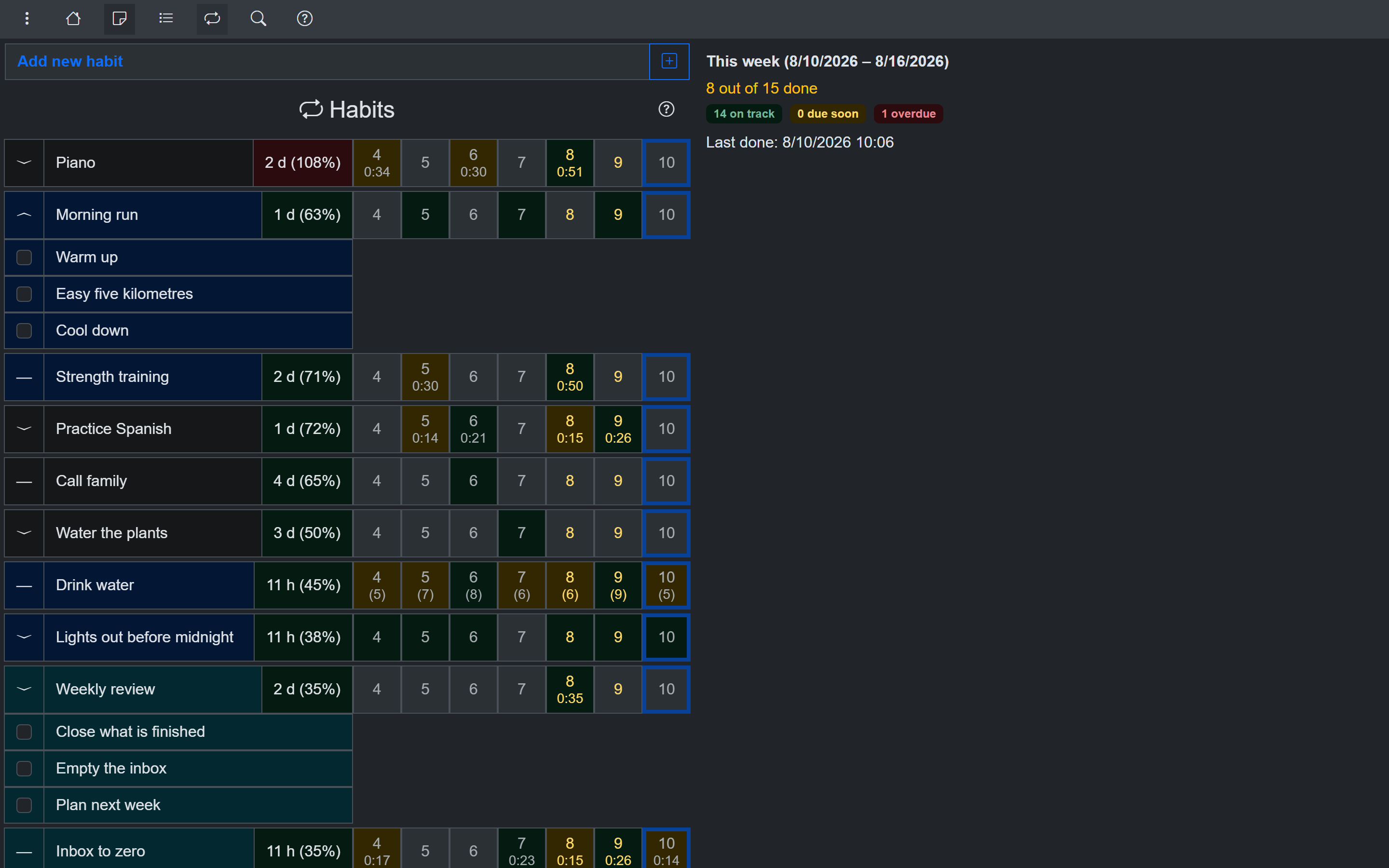
The habit list on desktop - interval ratios instead of streaks
Phone:
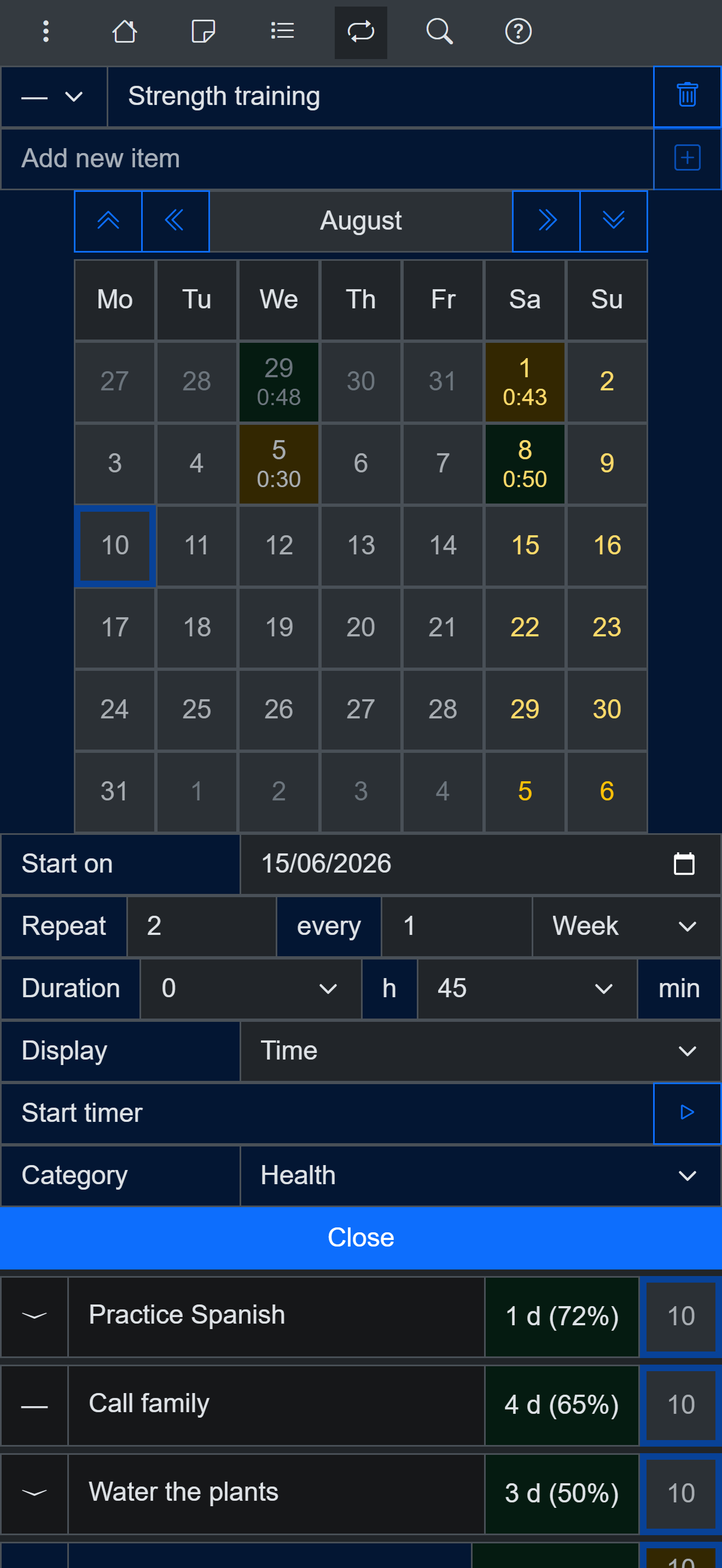
A habit on a phone - the same data as the desktop app
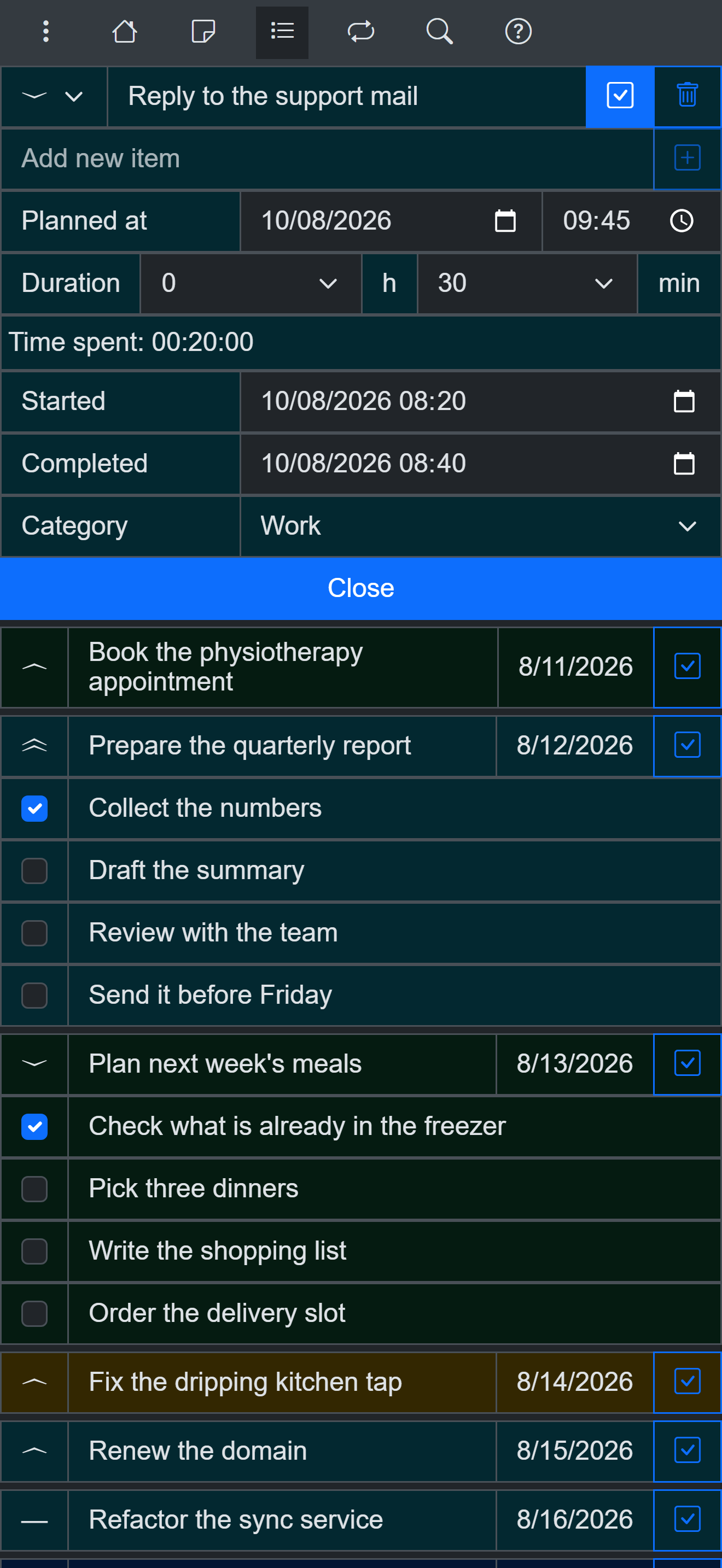
Tasks with checklists live in the same app
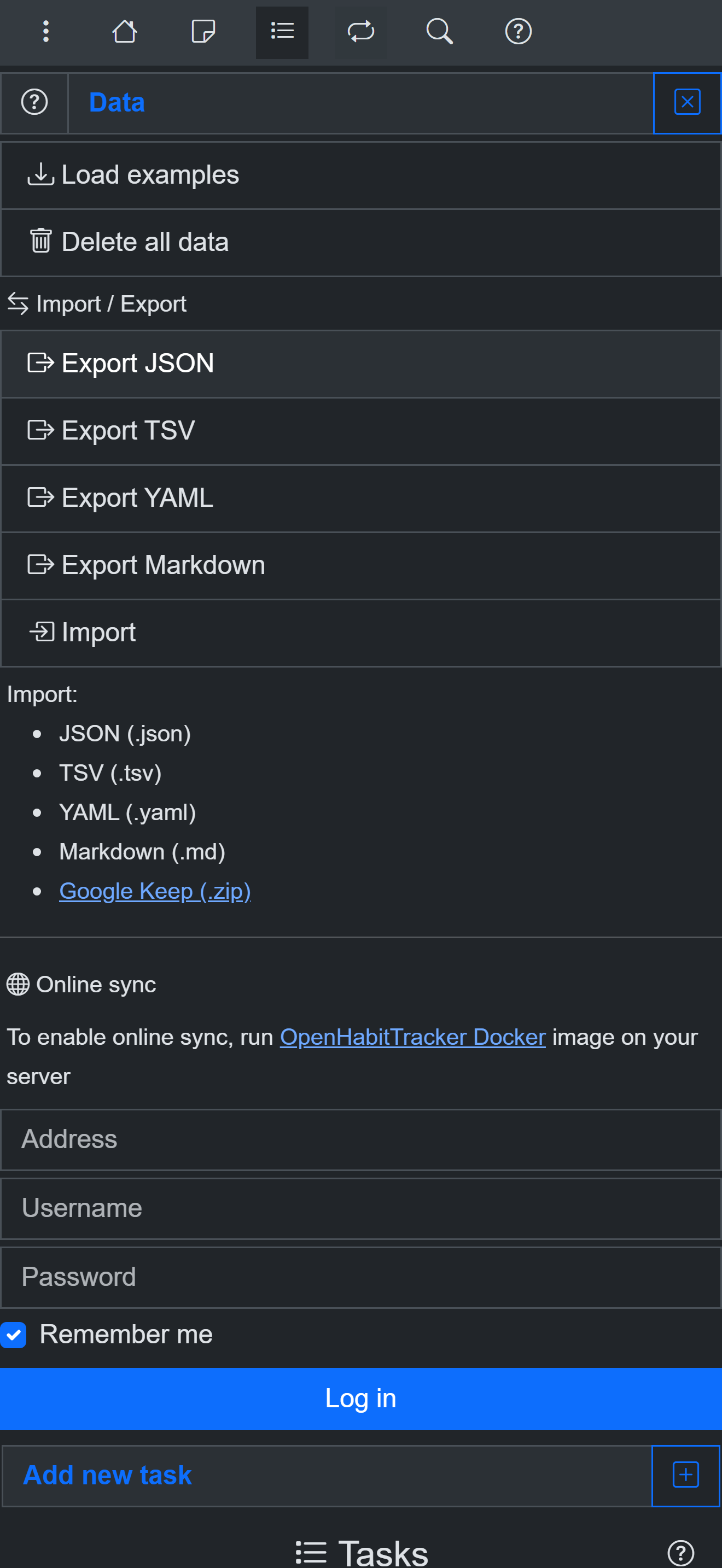
Open export formats - your data leaves as easily as it arrived
Try it without installing anything
Use OpenHabitTracker in your browser
The PWA works offline and keeps all data on your device. Or get the native app:
Android - Google Play:
iOS - App Store:
Windows - Microsoft Store:
macOS - Mac App Store:
Linux - Flathub:
Linux - Snap Store:
Questions? The source is on GitHub and the community is on Reddit.