Take notes, plan tasks, track habits
OpenHabitTracker is a free, open source habit tracker for Web, Windows, Linux, Android, iOS and macOS!
Why I created it
The friendly habit tracker
- OpenHabitTracker doesn't use a streak counter as the main indicator
- You won't feel demotivated when you skip a habit once, because a skip only raises the urgency
- It tracks the time elapsed since you last completed a habit and compares it to the habit's repeating interval:
- A habit with a 10 day interval which is 2 days overdue is at 120%
- A habit with a 4 day interval which is 2 days overdue is at 150%
- It allows you to easily prioritize your tasks based on their level of urgency
I built it as a personal project: the app has no ads, no trackers, no account, no subscriptions and no in-app purchases.
Your feedback is welcome on Reddit and GitHub
Web app
Current version (2026.09.09)
Use OpenHabitTracker in your browser
Stores
If you enjoy using OpenHabitTracker, I would be really grateful if you could leave a rating on your store - it truly means a lot and helps others discover the app!
OpenHabitTracker is available on
Windows - Microsoft Store:
Linux - Flathub:
Linux - Snap Store:
Android - Google Play:
iOS - App Store:
macOS - Mac App Store:
Android - APKPure:
Android - GitHub, auto-updating with  Obtainium:
Windows - winget (installs the Microsoft Store version):
winget install OpenHabitTracker
Self-hosted sync
Host a Docker image on your own server
Progressive web app:
- Works offline
- All data is saved on your device
- There is no online sync
- https://pwa.openhabittracker.net
Docker image:
- Needs an internet connection
- All data is saved online
- Docker Hub
- GitHub Container Registry
Habit tracker features
Take notes, manage tasks, track habits:
- Notes in Markdown, rendered in the list, so reading one costs no clicks
- Tasks with a planned date and time, a duration, a checklist and a timer
- Habits with a repeat rule, a calendar and the full completion history
- Categories that group all three, each with a rule for when the group counts as done
- A priority on every note, task and habit
Search, filter and sort:
- Control what the list shows with search, date, category, priority, status and sort
- Planned dates and done dates filtered separately, each before, on, after or not on a date you pick
- Date filters take a fixed date or a number of days from today, worked out when the query runs, so a saved filter never goes stale
- Filter habits by how overdue they are, with a lower bound, an upper bound, or both
- Turn the done-date filter around to see what you have not done in a period
- Eleven sort keys, chosen separately for notes, tasks and habits
- Search reads note text and checklist items, not only titles, and highlights every match where it sits
- Show the category and priority filters as check boxes, radio buttons or a drop-down list
How search, filter and sort work in detail
Habit tracking:
- Set how many times, how often, and whether that is per day, week, month or year
- Measure a habit in repetitions, in time spent, or in a quantity you set a target for
- Mark a habit done with a single click in the list, or fill in a day you missed
- Each habit carries a timer, a checklist, a calendar and its whole history
- Current and best streaks are there when you want them, counted in the habit's own period, so a weekly habit has a streak of weeks
Reminders and notifications:
- A daily summary at a time you choose, naming the tasks that are due and the habits that are overdue
- A reminder a set time before a task's planned time
- Choose whether the summary covers tasks, habits or both, how overdue a habit has to be, and the lowest priority worth a notification
- A day with nothing due sends nothing
- On Android, iOS, macOS and Windows even when the app is closed, on Linux and in the web app while it is open
Statistics and charts:
- Weekly statistics beside each list: habits on track, due soon and overdue, tasks done and overdue with the time spent, notes created and updated
- Charts for every habit, whether it is counted in repetitions, time or quantity:
- Progress toward the target for today, this week, this month, this quarter and this year
- History by day, week, month, quarter or year
- A continuous calendar with no breaks between months
- The ten longest streaks
- How much gets done on each weekday, month by month
How the statistics and charts work in detail
Formats
Integration with Google services:
- Import from Google Keep
File import/export:
- Markdown
- YAML
- JSON
- TSV (Tab Separated Values)
UI & UX
Appearance:
- Dark and light mode, with 26 themes
- Almost everything on screen can be turned on or off: which page and which sidebar open at start, what each row shows, which calendars appear, how the filters are drawn, and how tightly the lists are packed
- Some of them add or remove whole blocks from a habit, so the same habit is either a short form or a full statistics page
- A background color to tell your notes, tasks and habits apart at a glance
- Your settings are saved, synced, and included in JSON and YAML backups
Everything you can turn on or off
Accessibility:
- Everything reachable from the keyboard, with the calendar as an arrow-key grid
- Every day cell announces its date and what was done on it to a screen reader
- Focus moves into a sidebar when it opens and returns where it was when it closes
- Animation is dropped entirely when your system asks for reduced motion
Available in 20 languages:
Chinese, Croatian, Czech, Danish, Dutch, English, Finnish, French, German, Italian, Japanese, Korean, Norwegian, Polish, Portuguese, Serbian, Slovak, Slovenian, Spanish and Swedish.
Downloads
1.2.5 (2026.09.09)
- Added habit statistics charts: target, history, calendar, best streaks and frequency
- Added a daily summary notification of what is due
- Added a reminder notification before a task's planned time
- Added an icon that shows when online sync is not working
- Fixed online sync giving up until restart after the server became unreachable
- Fixed weekly statistics missing on the start page until something changed
- Fixed the end of a page being hidden behind the navigation bar on phones
Windows: OpenHabitTracker.Windows.1.2.5.exe
Linux: OpenHabitTracker.Linux.1.2.5.zip - run OpenHT
macOS: OpenHabitTracker.macOS.1.2.5.pkg - run OpenHT.app
Android: OpenHabitTracker.Android.1.2.5.apk
All versions and downloads since 1.0.0
Videos
Notes, Tasks, Habits:
Search, Settings:
Screenshots
Desktop:
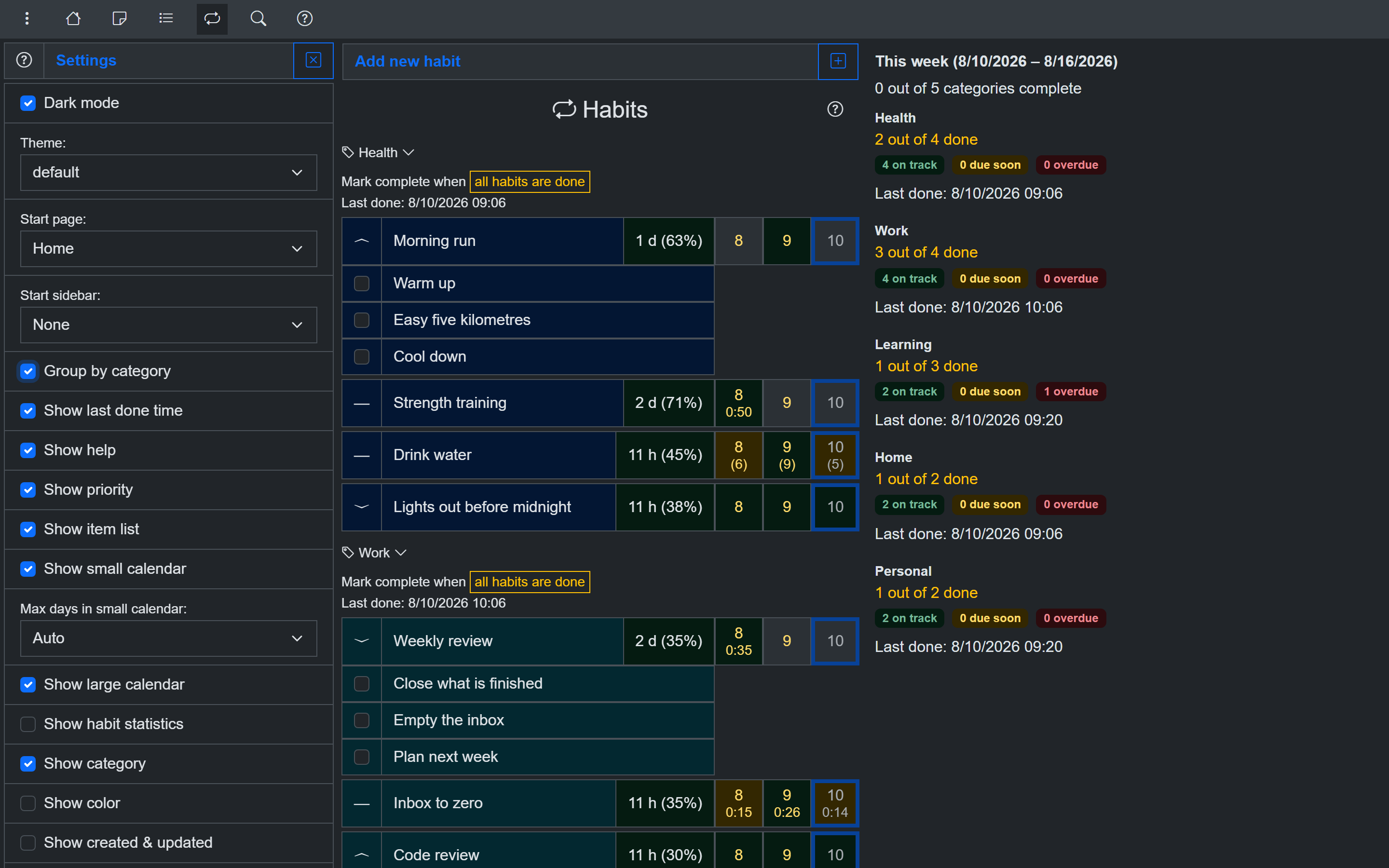
Settings sidebar and grouped habits
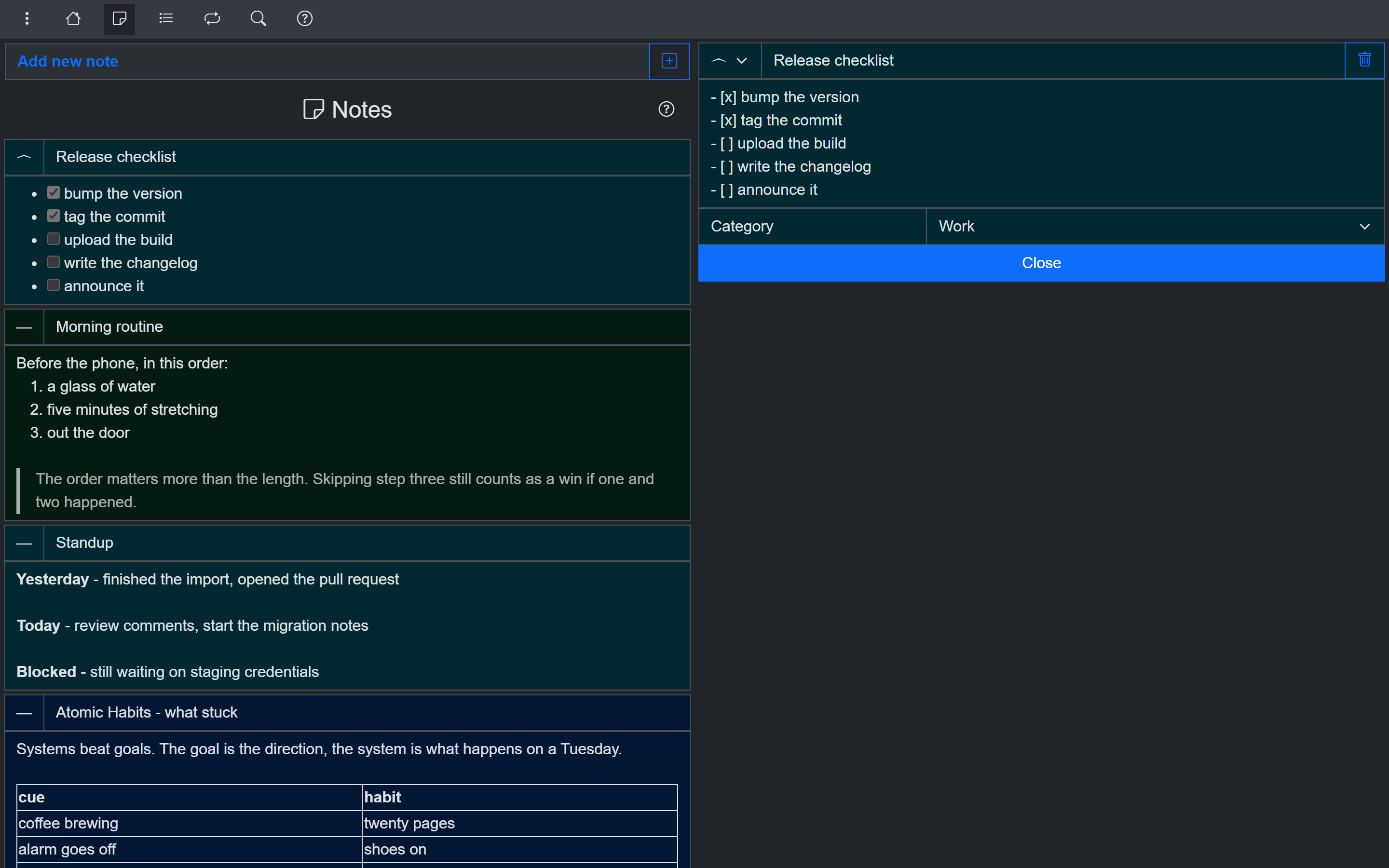
Markdown source beside the rendered note
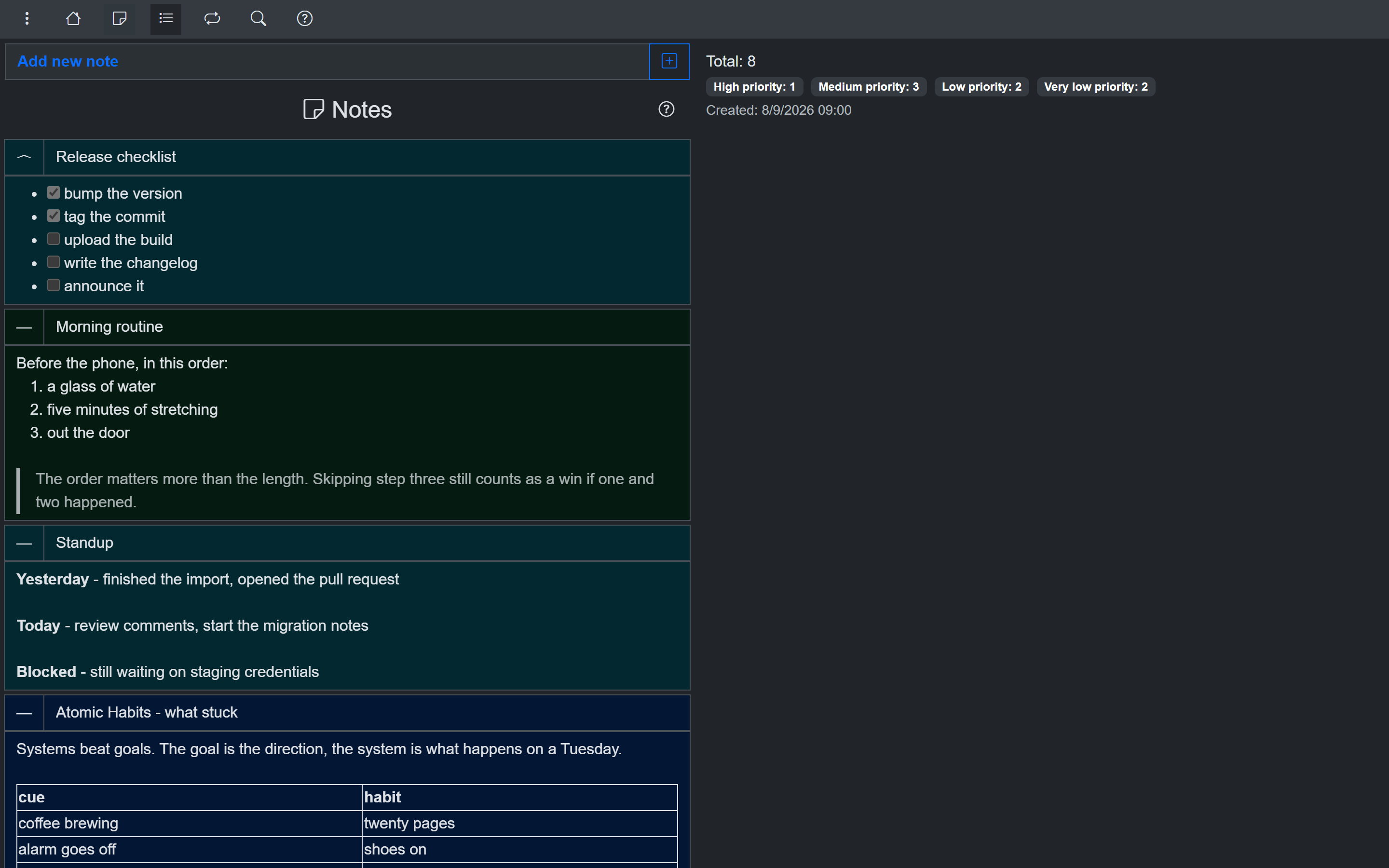
Notes with Markdown rendered in place
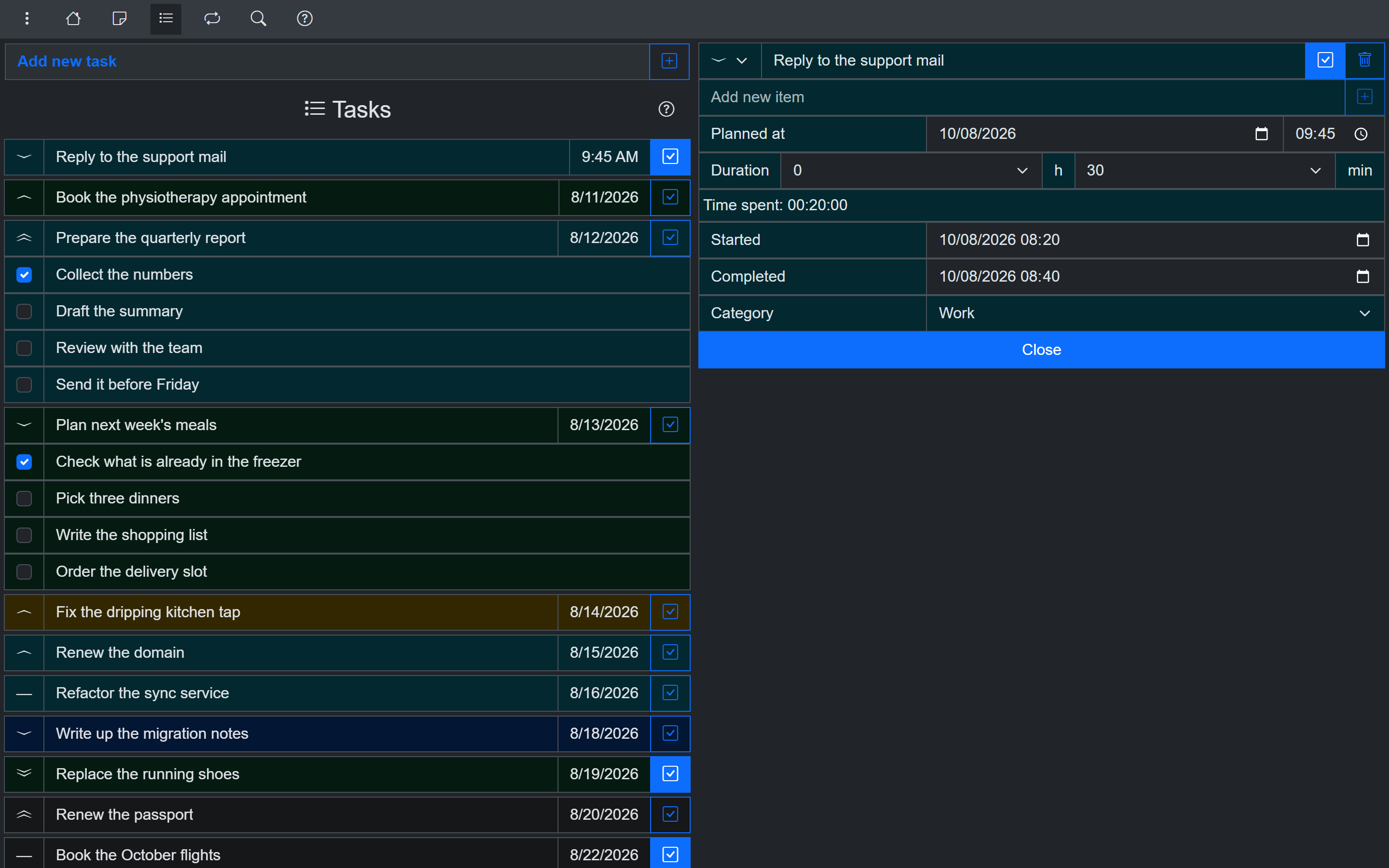
Task detail with planned time and time spent
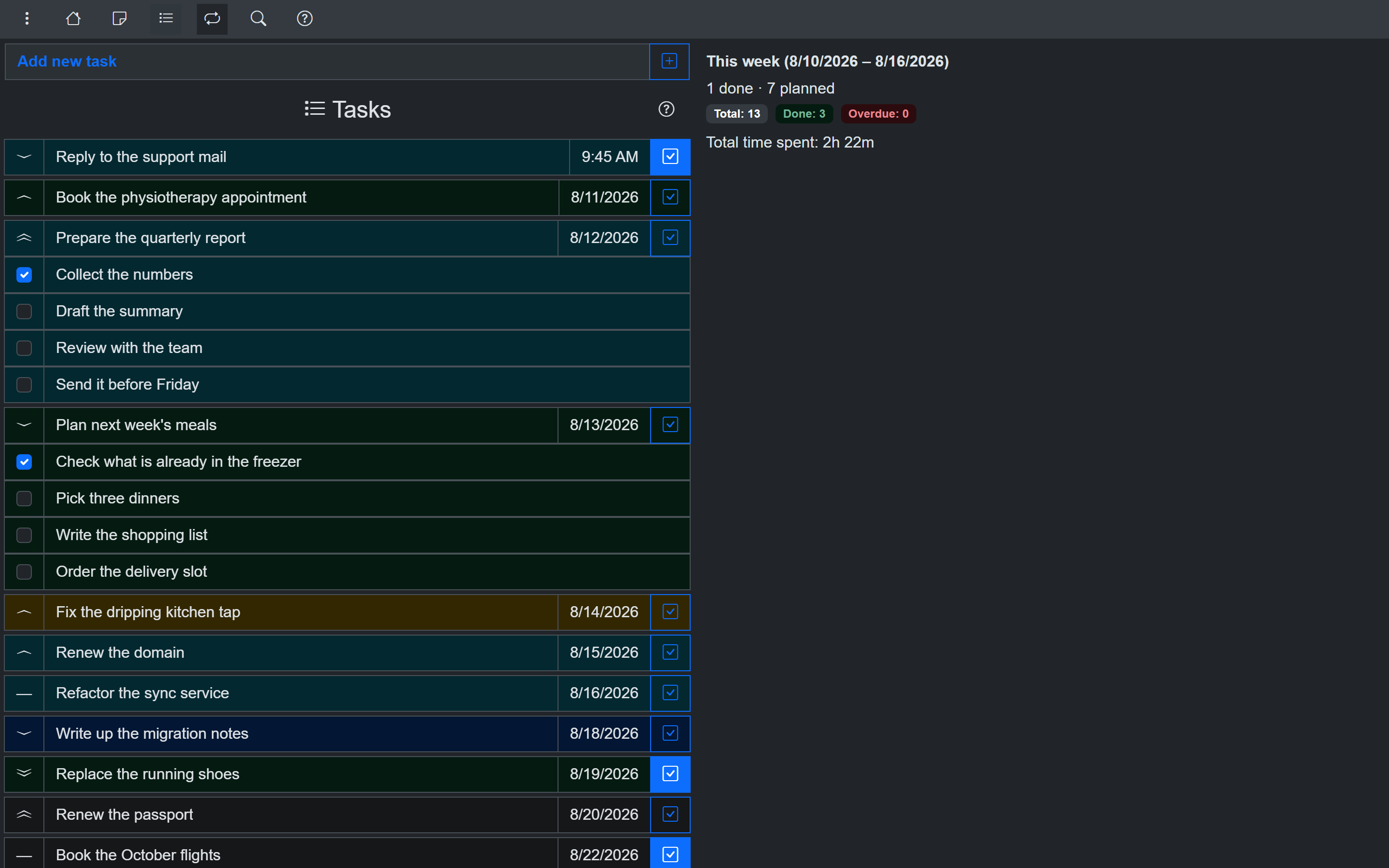
Task list with planned dates and checklists
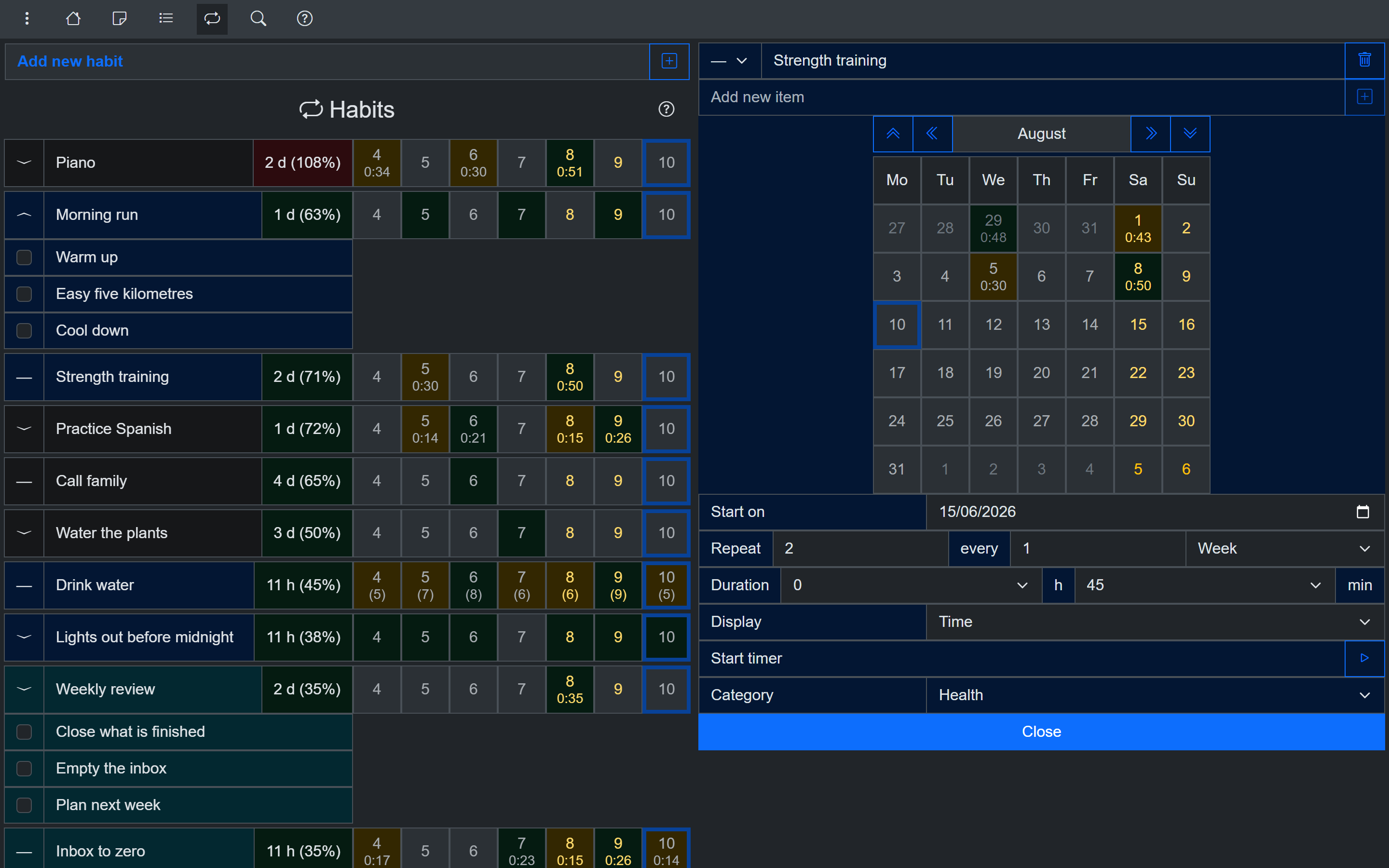
Habit detail with month calendar and timer
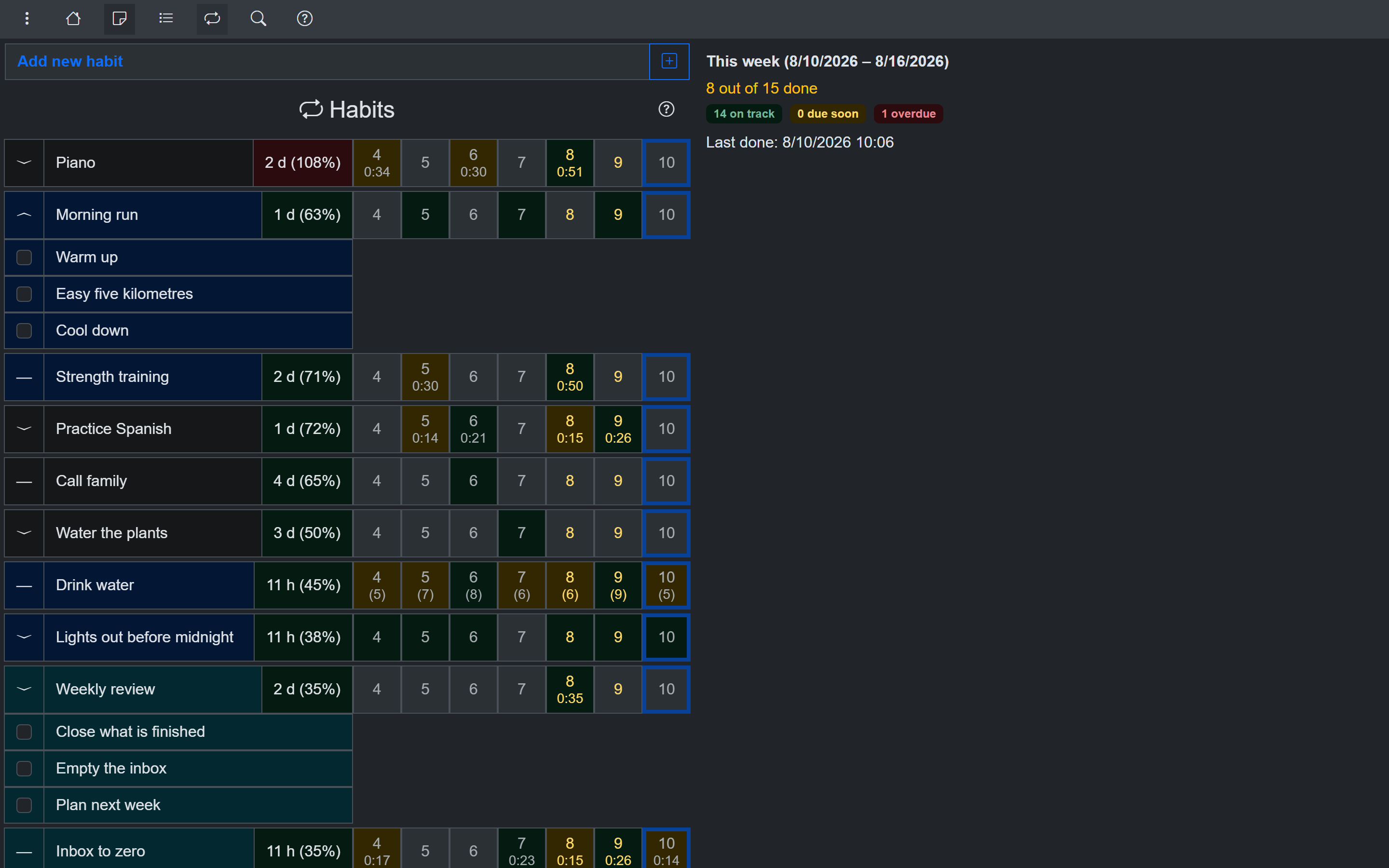
Habit list with interval ratios and calendars
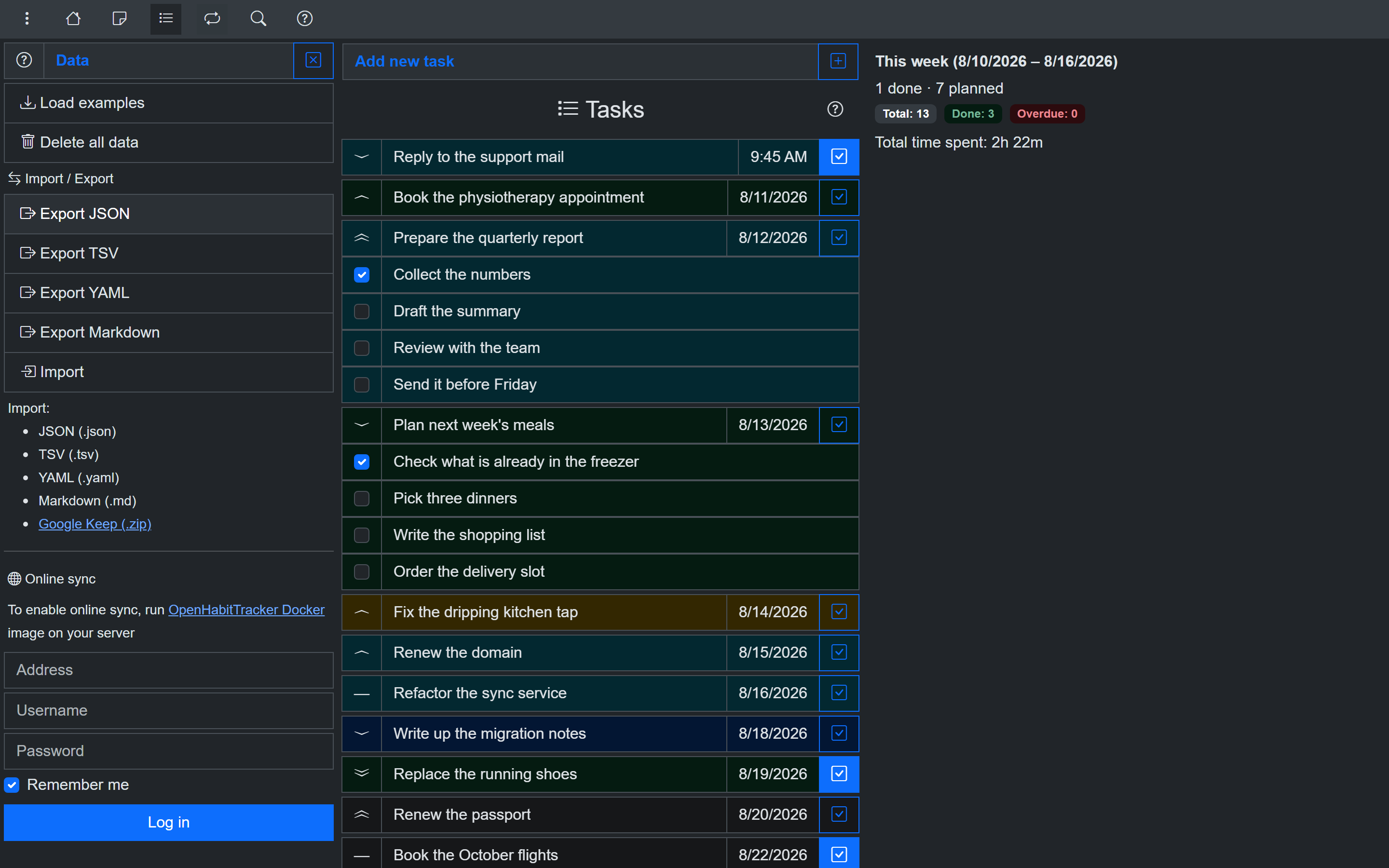
Export, import and self-hosted sync
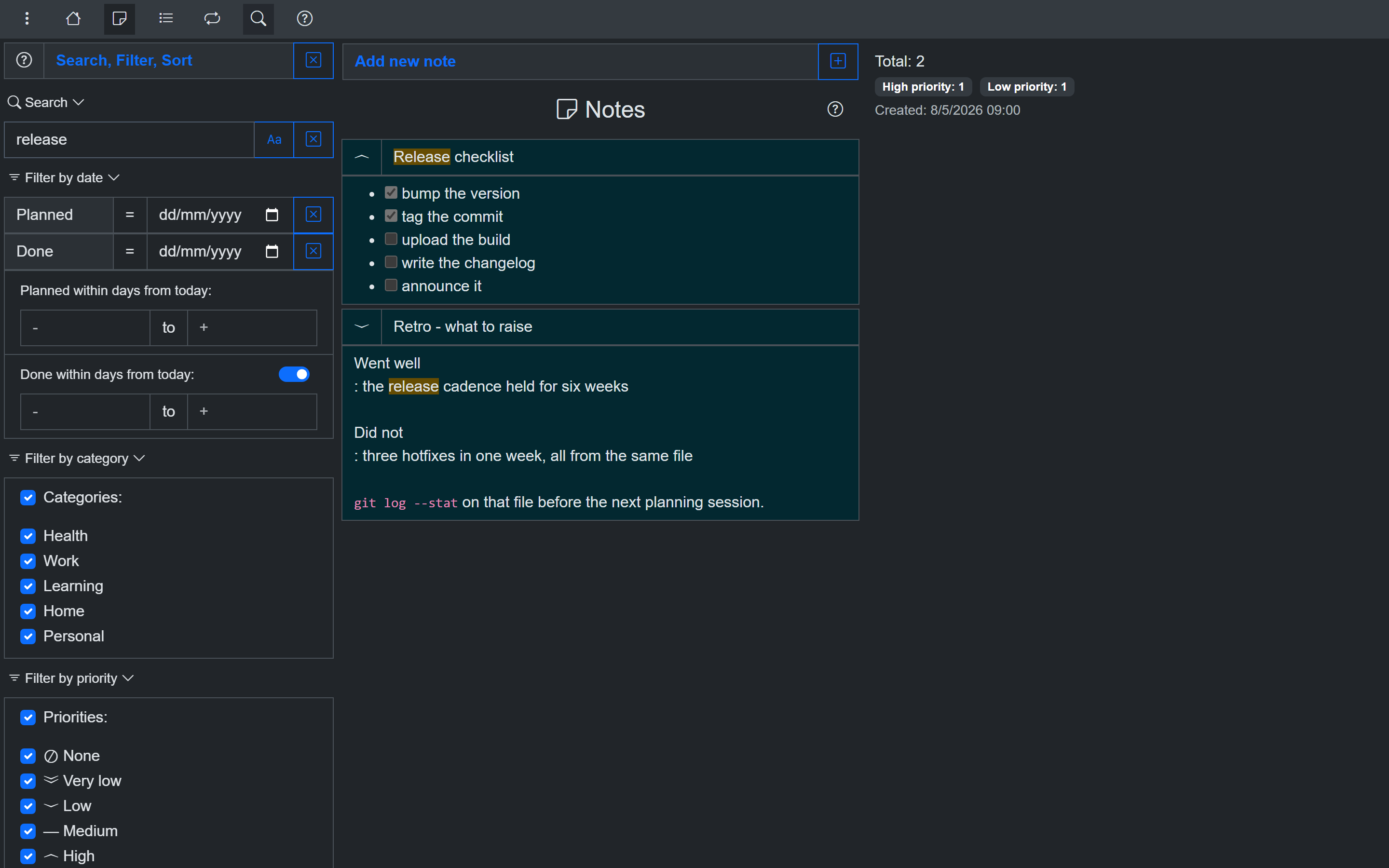
Search, filters, sort and highlighted hits
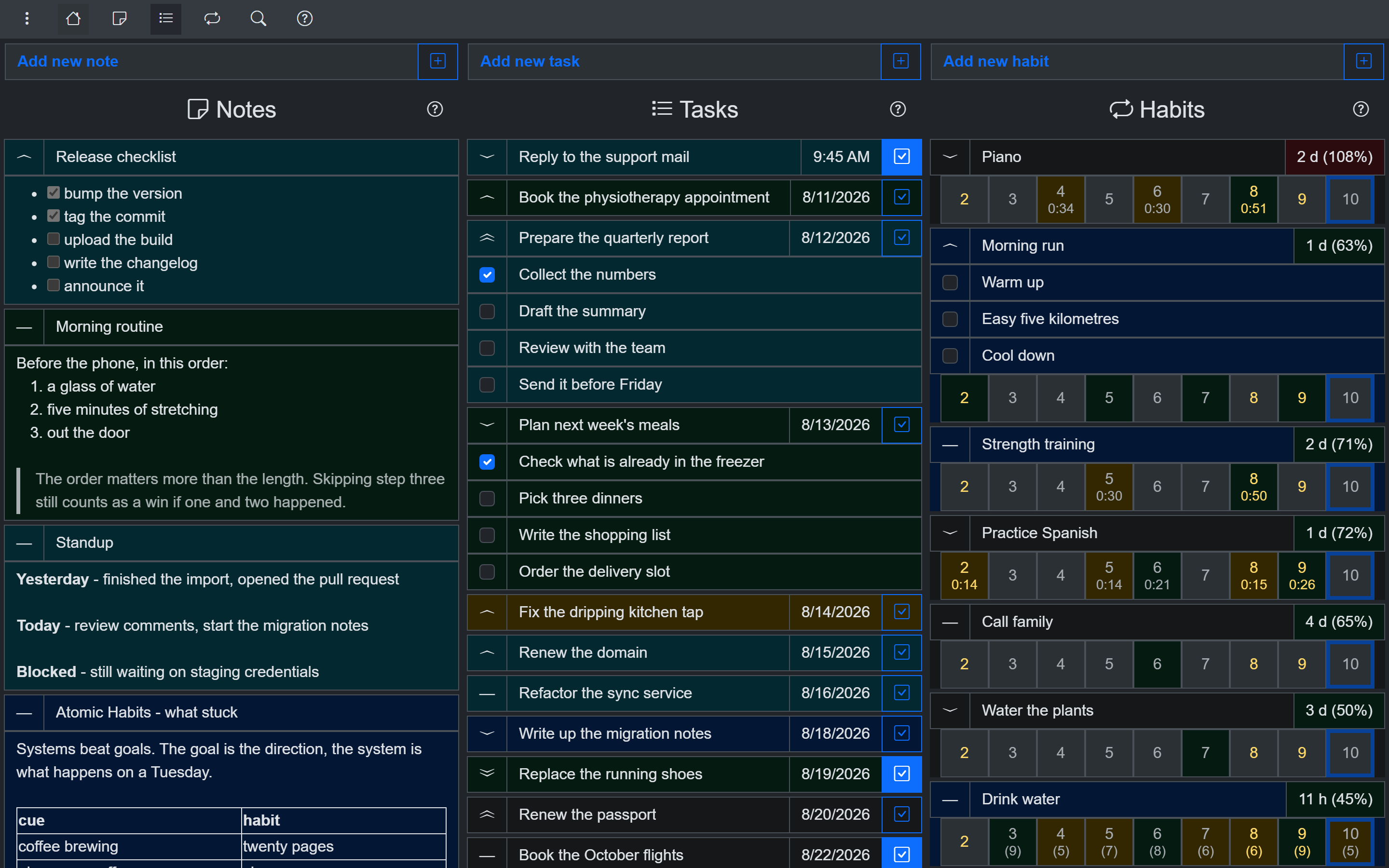
Notes, tasks and habits in three columns
Phone:
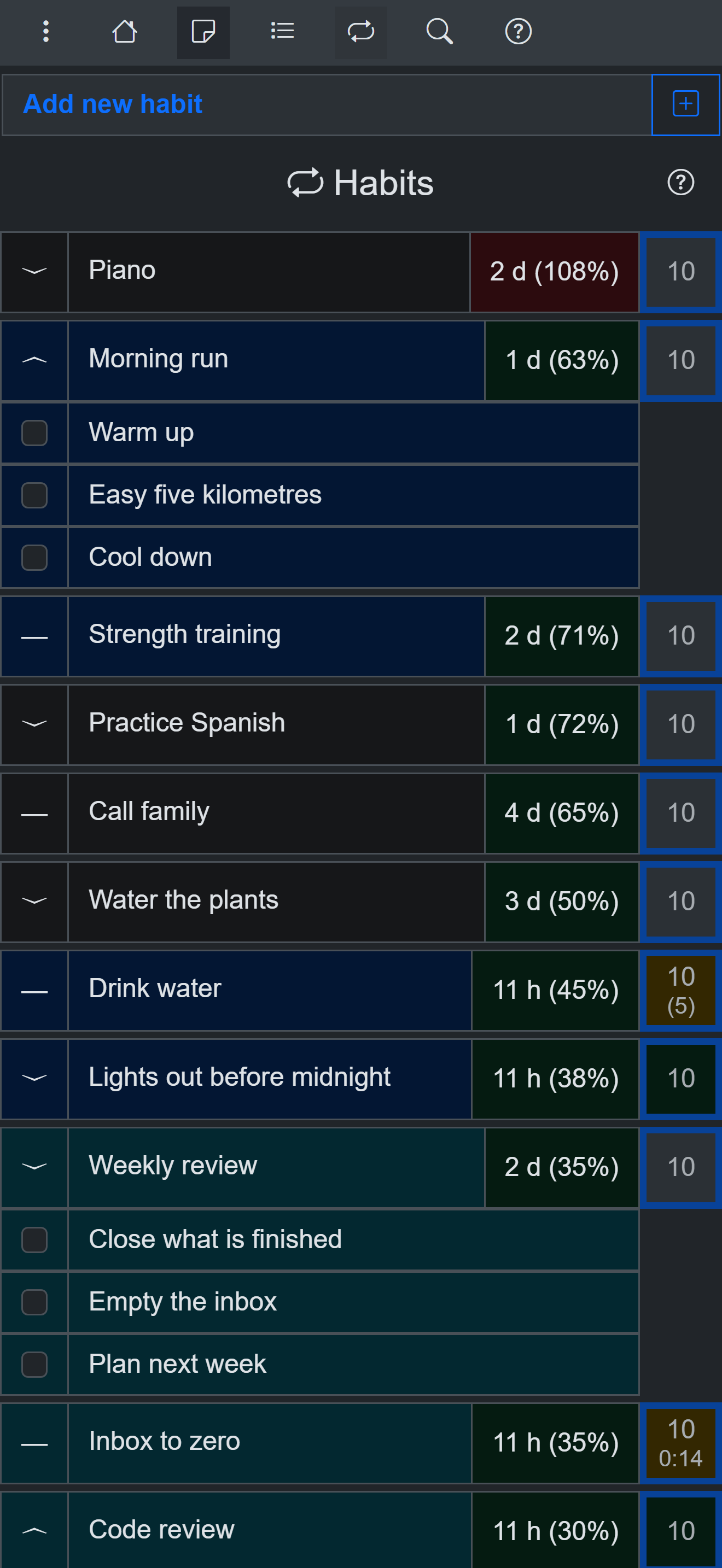
Habit list with interval ratios
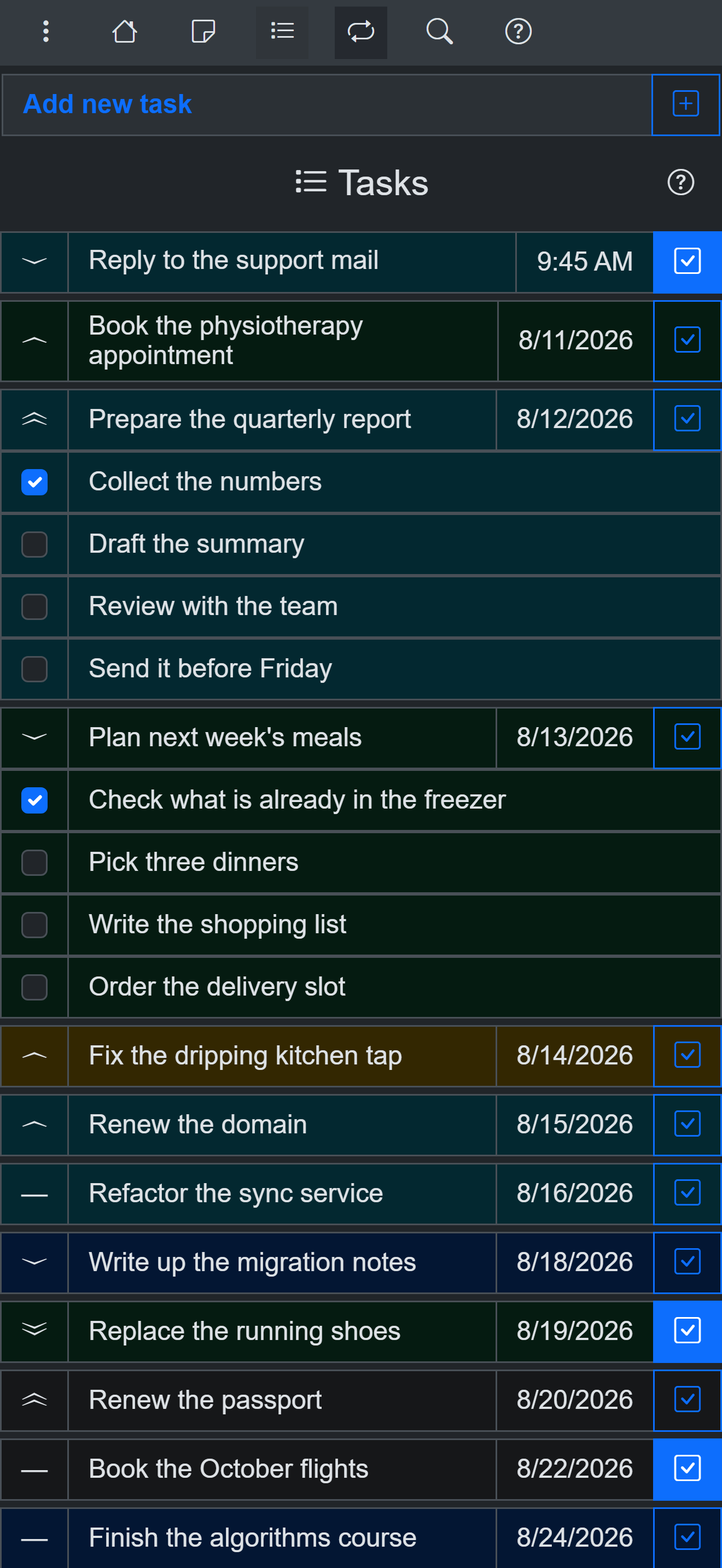
Task list with planned dates
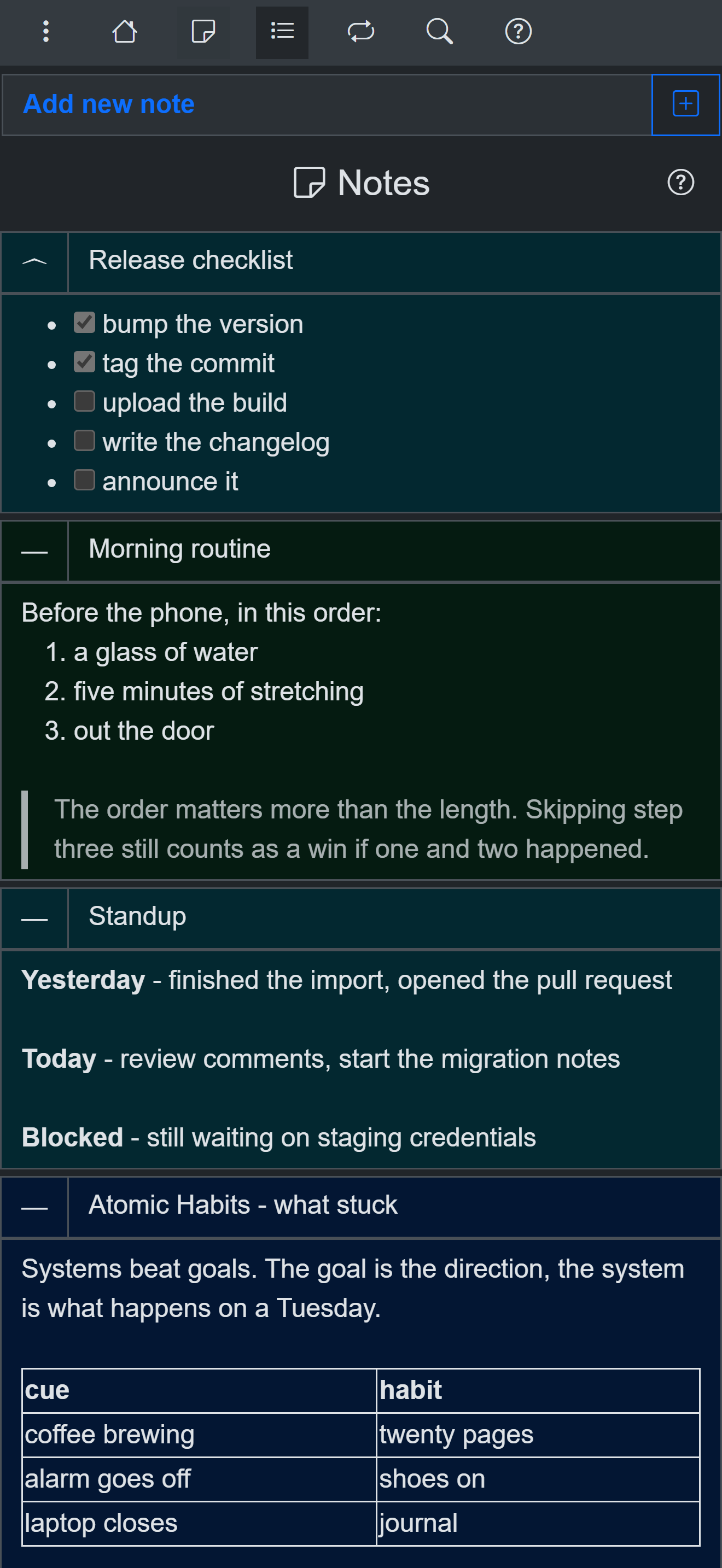
Notes with Markdown rendered in place
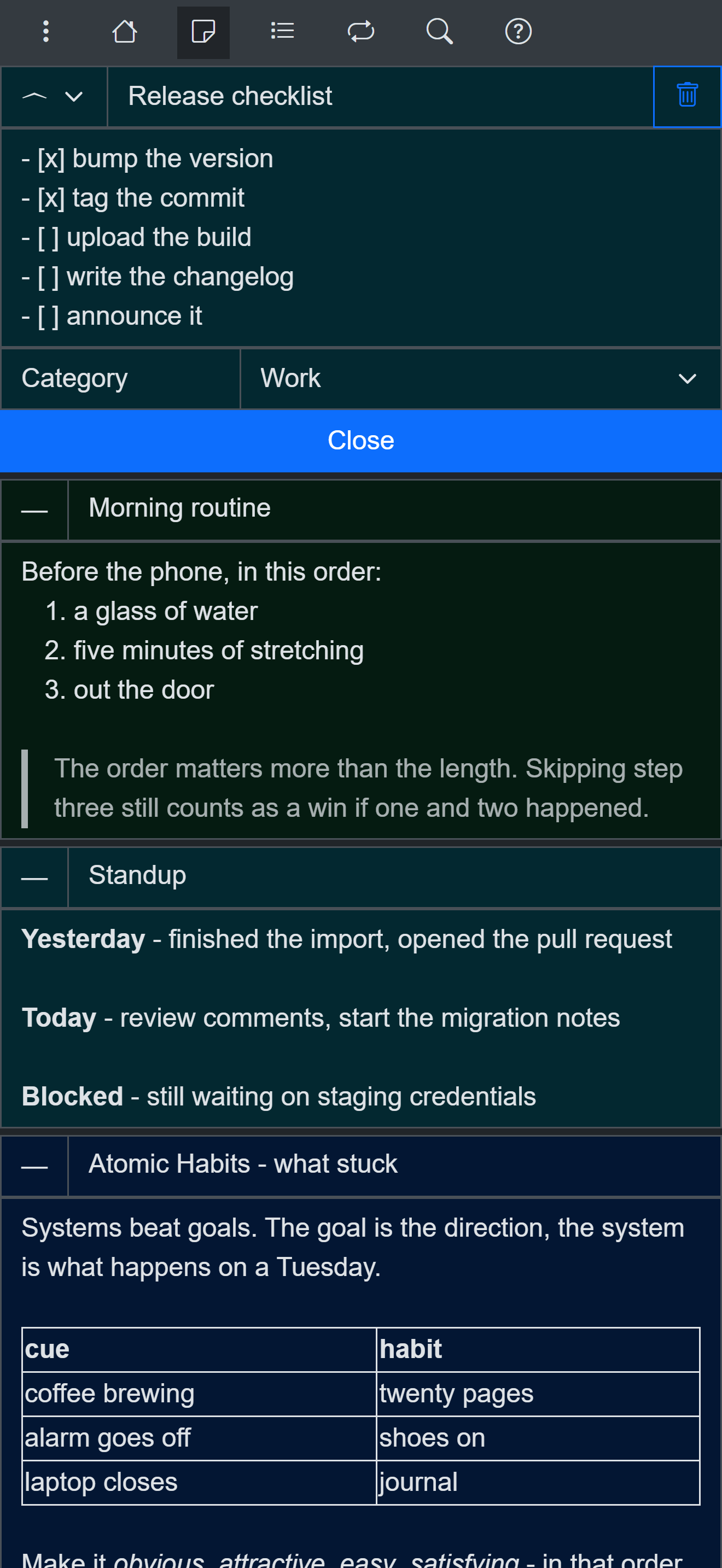
Note detail with the Markdown source
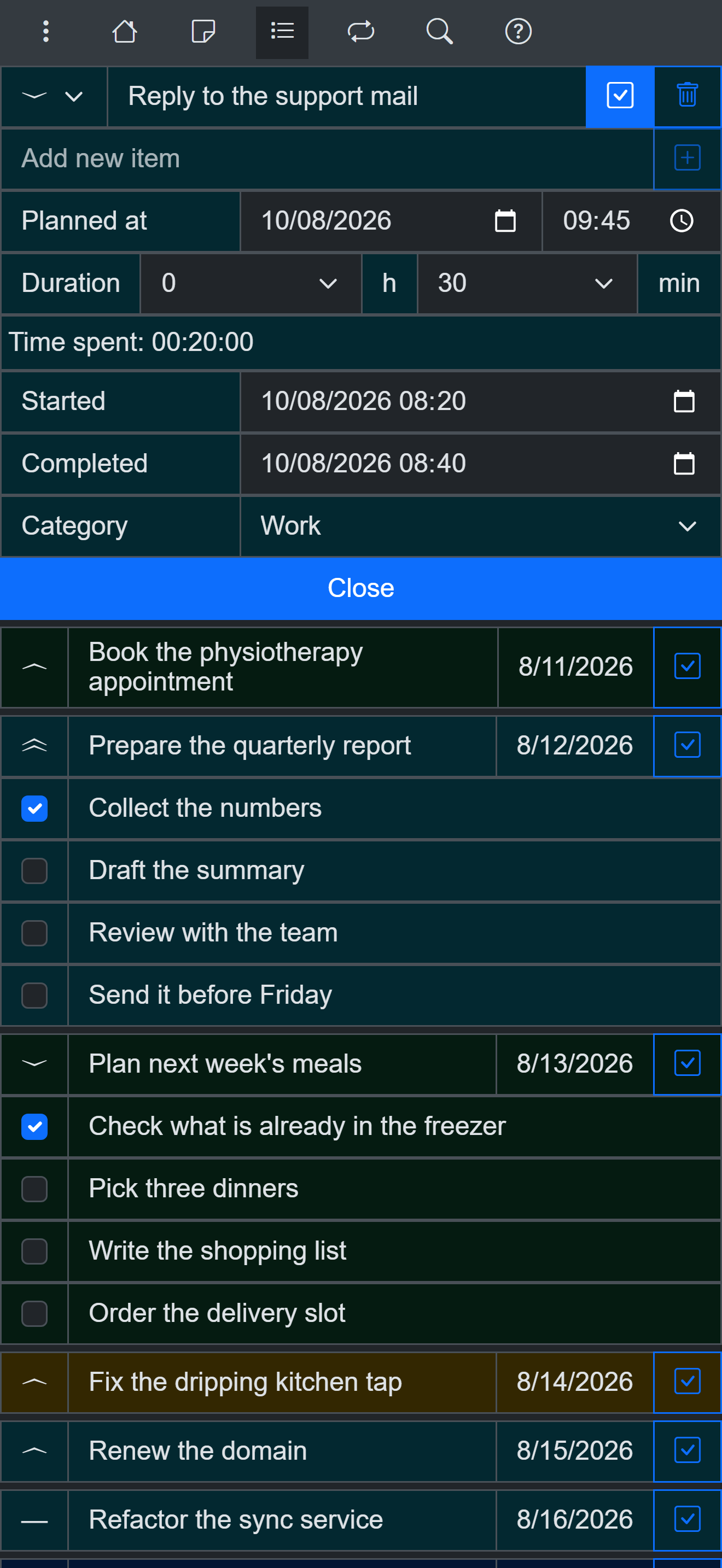
Task detail with time tracking
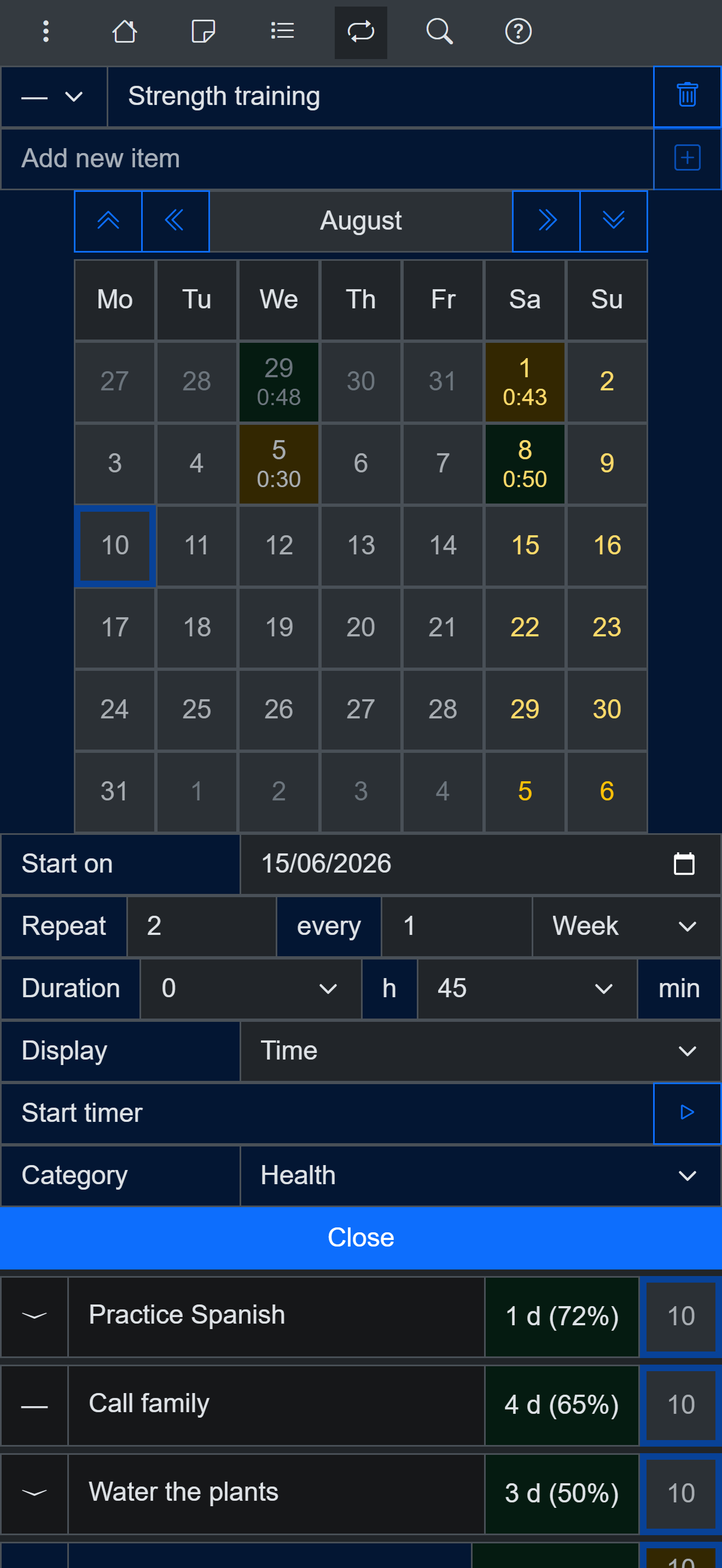
Habit detail with month calendar
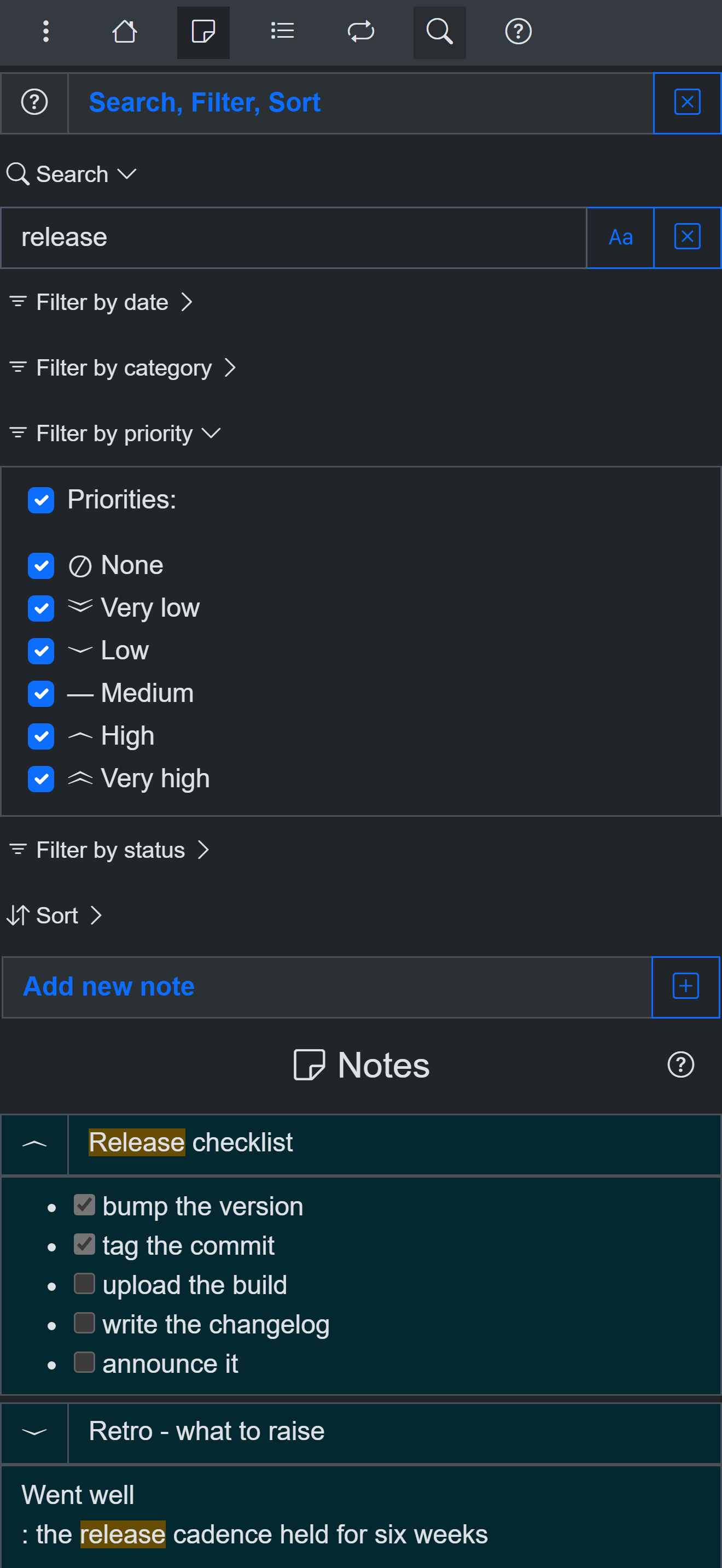
Search with highlighted hits
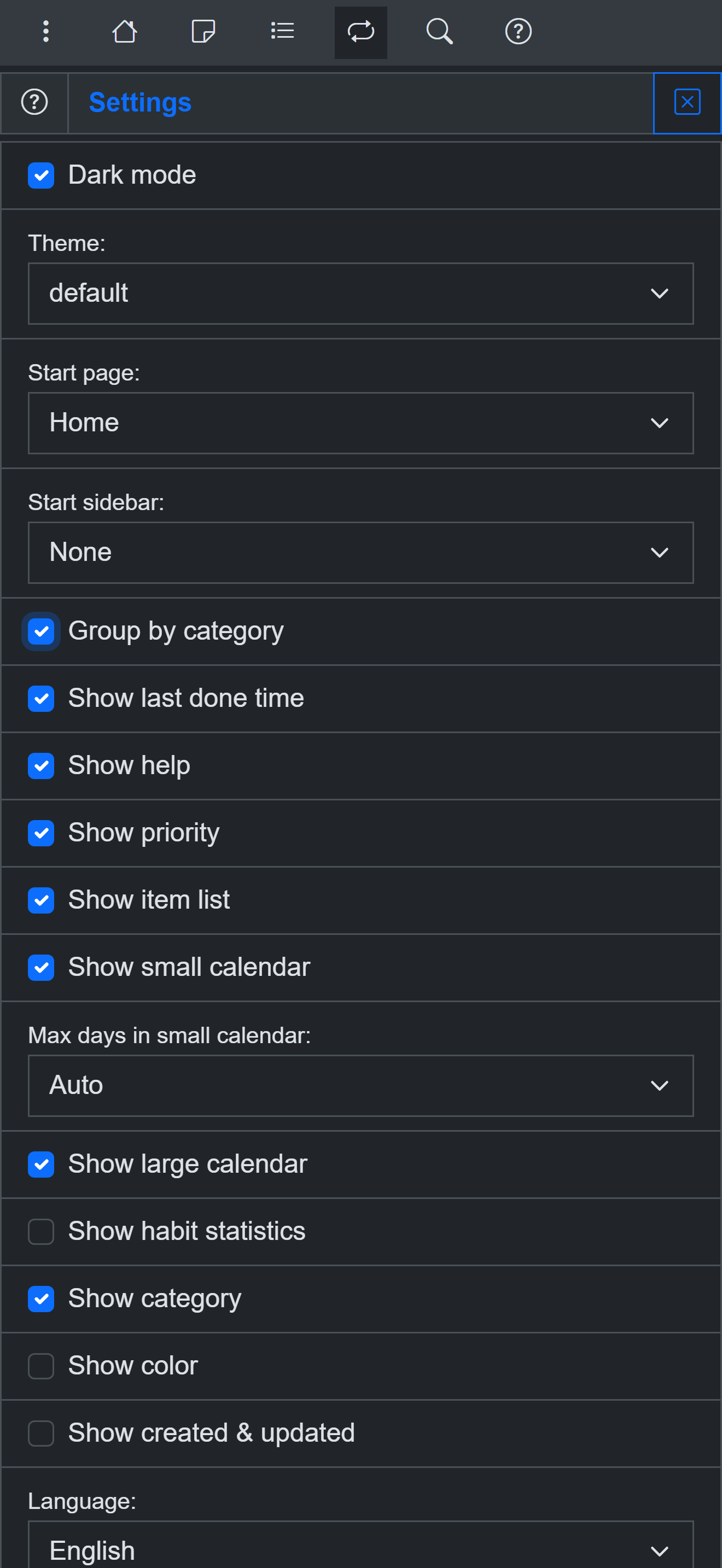
Dark mode, themes and display toggles
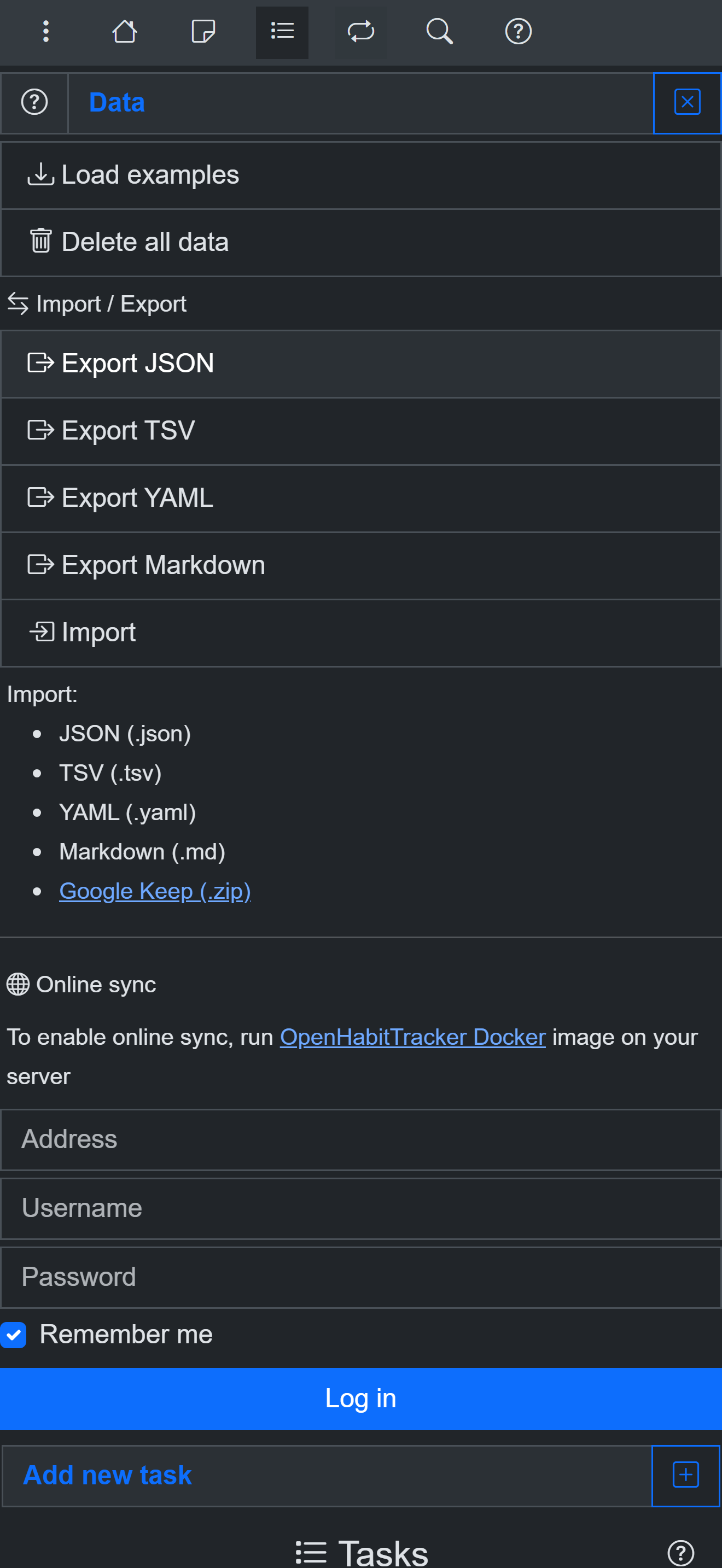
Export, import and online sync
Compare
How it stacks up against the alternatives:
- Habit tracker comparison: OpenHabitTracker vs Habitica, Loop, Streaks and Everyday
- Loop Habit Tracker for iPhone and desktop - an open source alternative
- A Habitica alternative without the RPG
- Streaks app for Android, Windows and Linux - an open source alternative
- An Everyday alternative with unlimited free habits
Self-hosting:
Google Keep:
About
OpenHabitTracker is:
- Free and ad-free: no ads, no subscription
- Open source: GitHub
- Cross platform: Web, Windows, Android, iOS, macOS, Linux and self-hosted